Tax Report
Written By Timothy Murenzi
Overview
The Tax Report shows how much sales tax you've collected, by category and by region — built for filing. Open it from Reports → Tax Report.
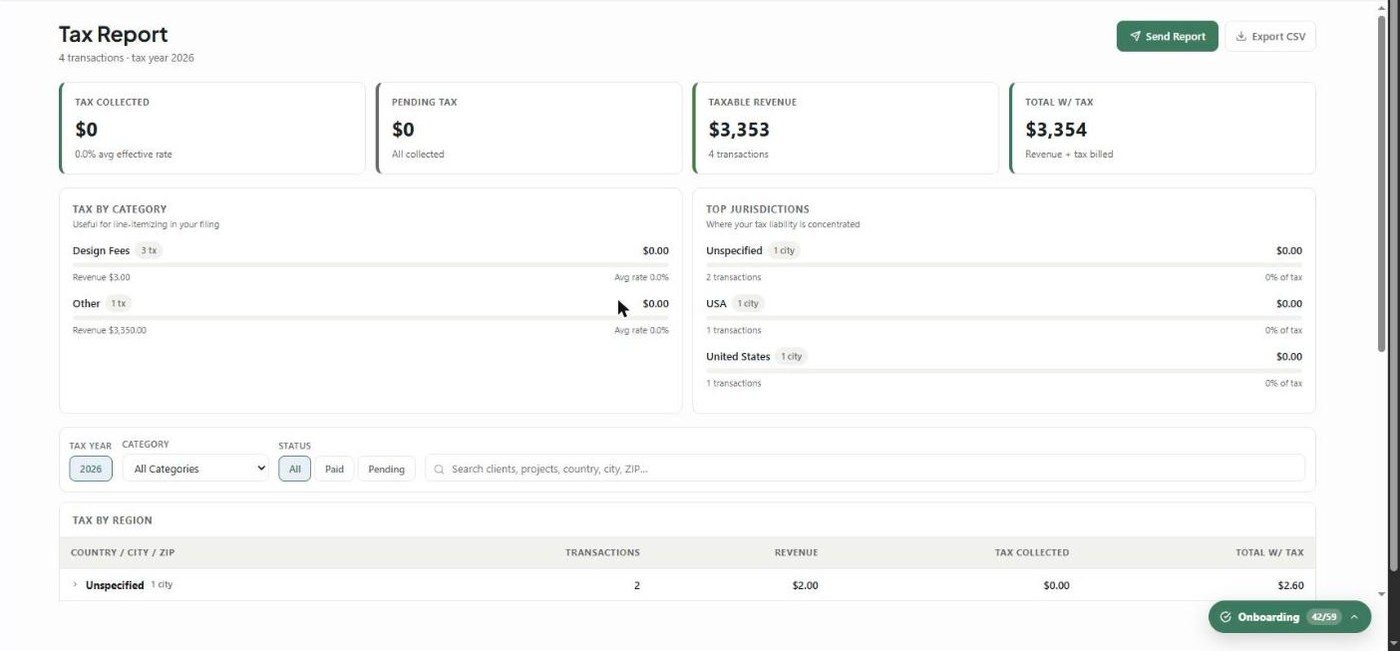
KPI cards
Tax Collected — with your average effective rate
Pending Tax — tax on documents the client hasn't paid yet
Taxable Revenue
Total w/ Tax
Breakdowns
Tax by Category — tax, transaction count, revenue and average rate per category (e.g. Design Fees).
Top Jurisdictions — where your tax liability is concentrated.
Tax by Region — an expandable Country → City/State → ZIP table.
Transactions — ID, client/project, region, category, revenue, rate, tax, total, date and status (Paid or Pending).
Filters
Tax Year (it jumps to the most recent year with data), Category, Status (All, Paid, Pending), and search by client, project, country, city or ZIP.
What to understand
Transactions are grouped by the calendar year of their date.
Regions show as Unspecified when a document has no address. Set project and billing addresses so tax is attributed correctly. Inconsistent country names (e.g. "USA" and "United States") show as separate rows.
This report is a working aid — confirm your filing with your accountant.
Related articles
Estimates, Invoices & Purchase Orders Settings
Was this helpful?
Still need help? Ask the team