Using Product Manager

Organize, sort, filter, and manage products across projects using Product Manager.

Written By Timothy Murenzi

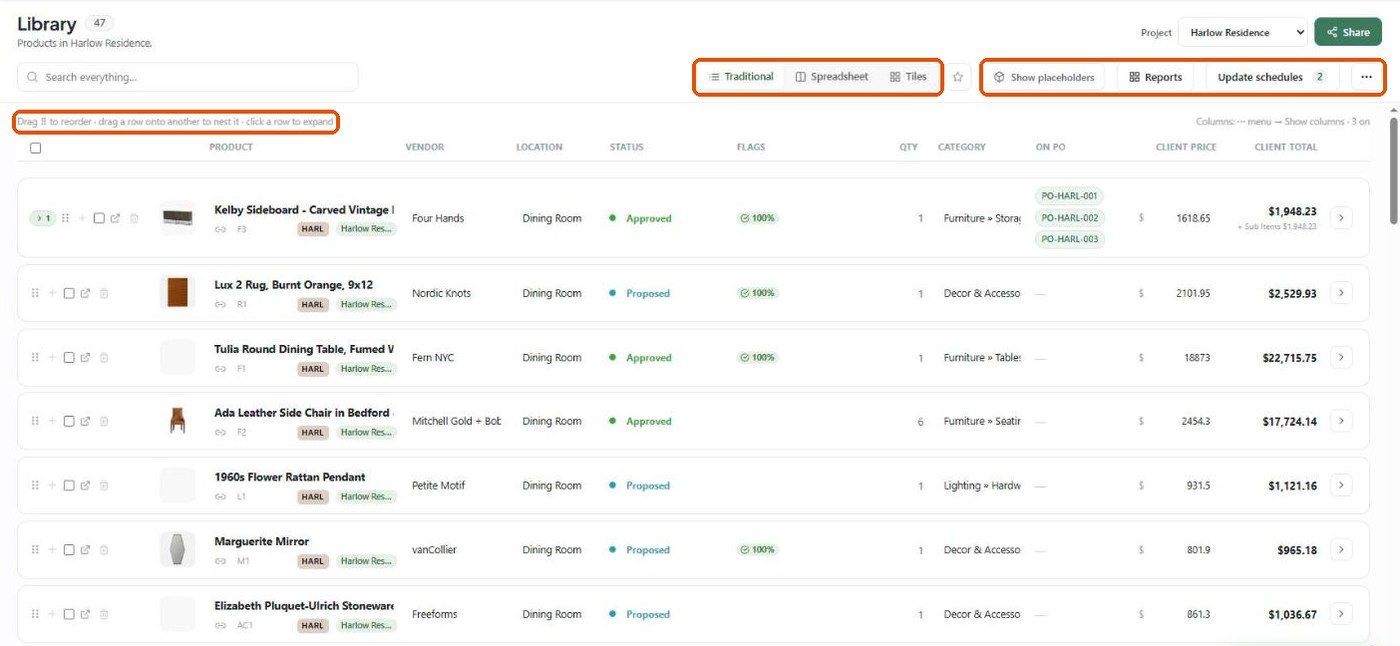
Product Manager helps teams organize, filter, sort, and bulk edit products across projects.

It is designed for studios managing larger FF&E schedules and procurement workflows.

Opening Product Manager

  1. Open the Products module

  2. Click Product Manager at the top of the page

From here, you can access:

  • sorting

  • filtering

  • bulk editing

  • multi-select actions

Sorting Products

  • Name A–Z

  • Name Z–A

  • Price Low to High

  • Price High to Low

  • Status

  • Vendor

  • Room

  • Date Added

Filtering Products

  • Project

  • Room

  • Category

  • Status

  • Vendor

  • Tags

Filters can be combined together for advanced schedule management.

Bulk Editing Products

Bulk editing allows teams to update multiple products simultaneously.

  • updating statuses

  • assigning rooms

  • changing categories

  • adding tags

  • updating procurement information

Best Practices

  • keep products consistently categorized

  • assign rooms early

  • maintain naming conventions

  • actively manage procurement statuses