Designer Cheat Sheet — Contracts in 60 Seconds
Written By Timothy Murenzi
Everything you need to send a contract, on one page.
The flow in 6 steps
Contracts → + New contract, then choose Build from scratch, a saved template, or Upload PDF.
Name it and optionally pick a client and project. Click Create contract.
Add sections (+ Add component), or click Draft with AI to have Walter write it.
Click Signers: add people, pick Sequential or Parallel, then click Done.
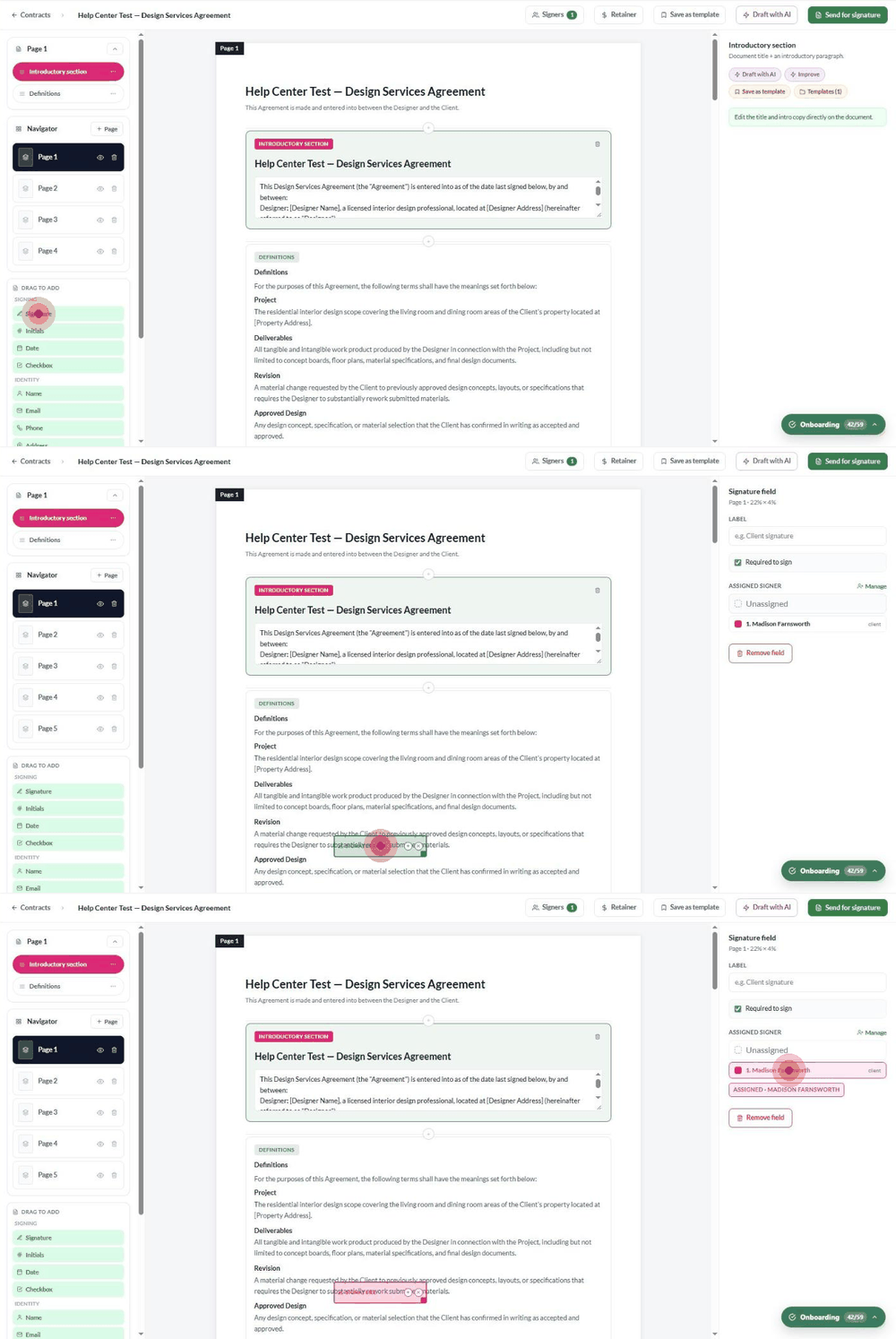
Drag a Signature field onto the page for each signer and assign it.
Optionally click Retainer, then Send for signature.
Quick reference
Before you click Send
Every signer has the right name, email and role.
Every signer has at least one Signature field assigned.
Walter's placeholders (like [Property Address]) are filled in.
The retainer amount and currency are correct, or not set.
The signing order is the one you want.
After sending, the contract can't be edited.
Statuses at a glance
Was this helpful?
Still need help? Ask the team