Using Product Tags
Organize, filter, and manage products more efficiently using customizable product tags.
Written By Julia M.
Overview
Tags are free labels on products (for example rush, COM, phase 2) that help you find and report on groups of products.
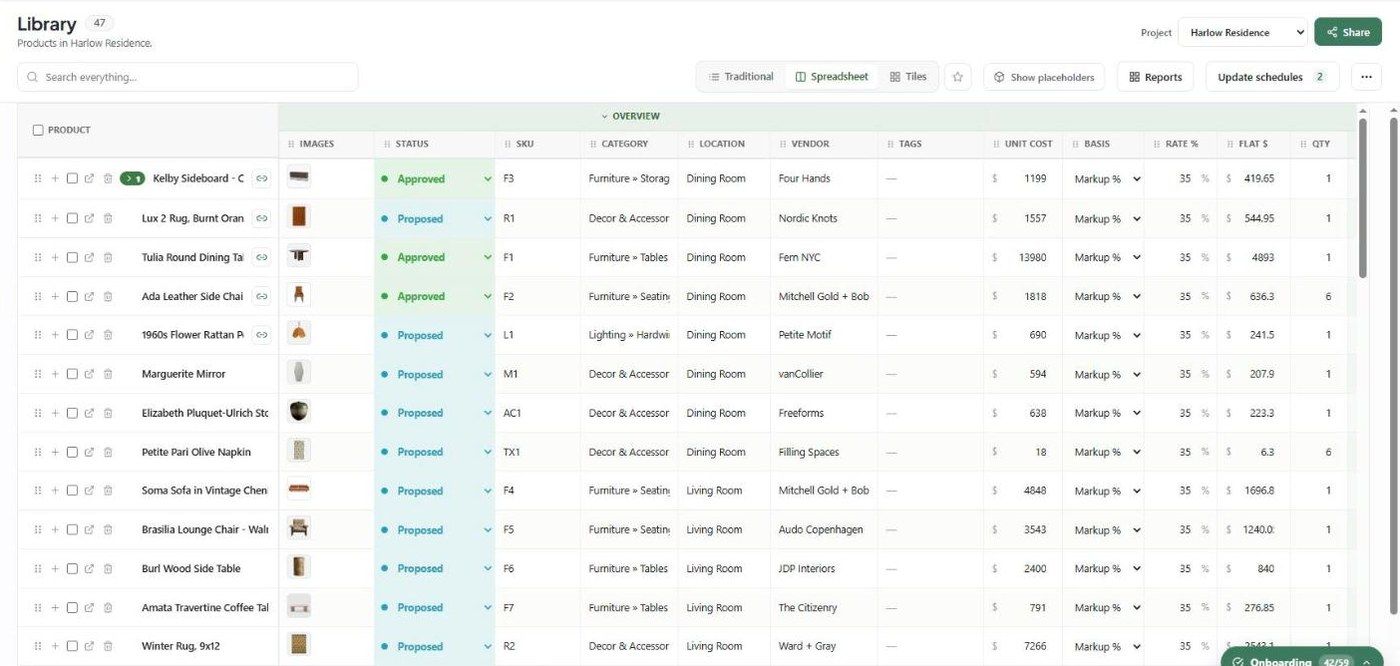
See and edit tags
Switch Library to Spreadsheet view — it has a Tags column.
Use tags in reports
In a report, under Products, click Status, vendor and tag filters to include only tagged products. Schedules can also Group by Tag.
Best practices
Agree a short list of tags as a team and stick to it.
Use status for where a product is in procurement; use tags for everything else.
Important limitations
Tags aren't in the Bulk edit field list at the time of writing; edit them per product or in Spreadsheet view.
Related articles
Searching and Filtering Products
PDF Schedule
Was this helpful?
Still need help? Ask the team