The template library
Written By Timothy Murenzi
Templates are ready-made automations built for design studios. They're the fastest way to start.
Use a template
On the Automations page, click + New automation.
Browse the list on the left of Start a new automation. Click any template to preview its trigger and steps on the right.
Click Use this template. It opens in the builder, Paused.
Set the recipients, put the email in your own words, adjust timings, then Save, test and switch it on.
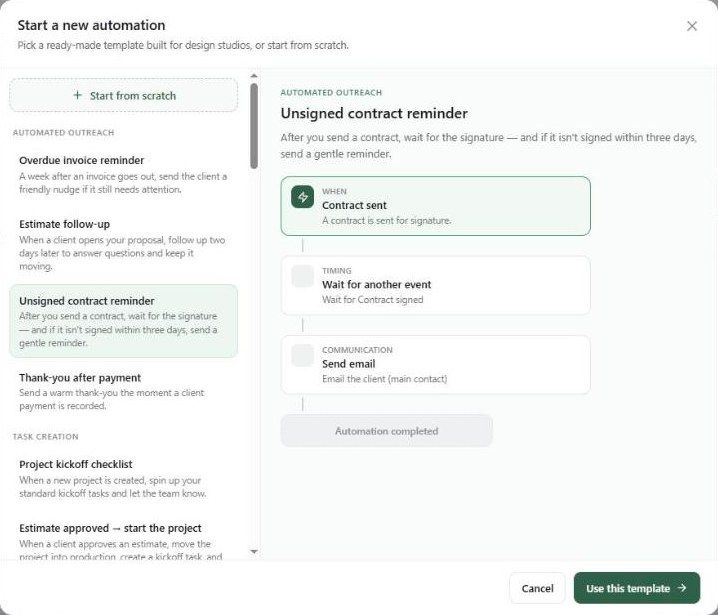
What's in the library
Templates teach the patterns. Even if you prefer to build your own, open a few to see how delays, conditions and reminder loops fit together.
Was this helpful?
Still need help? Ask the team