Creating a retainer
Written By Timothy Murenzi
Overview
Request a retainer from a project. Workroom creates a retainer invoice (numbered RET-code-###) for the client to pay.
Steps
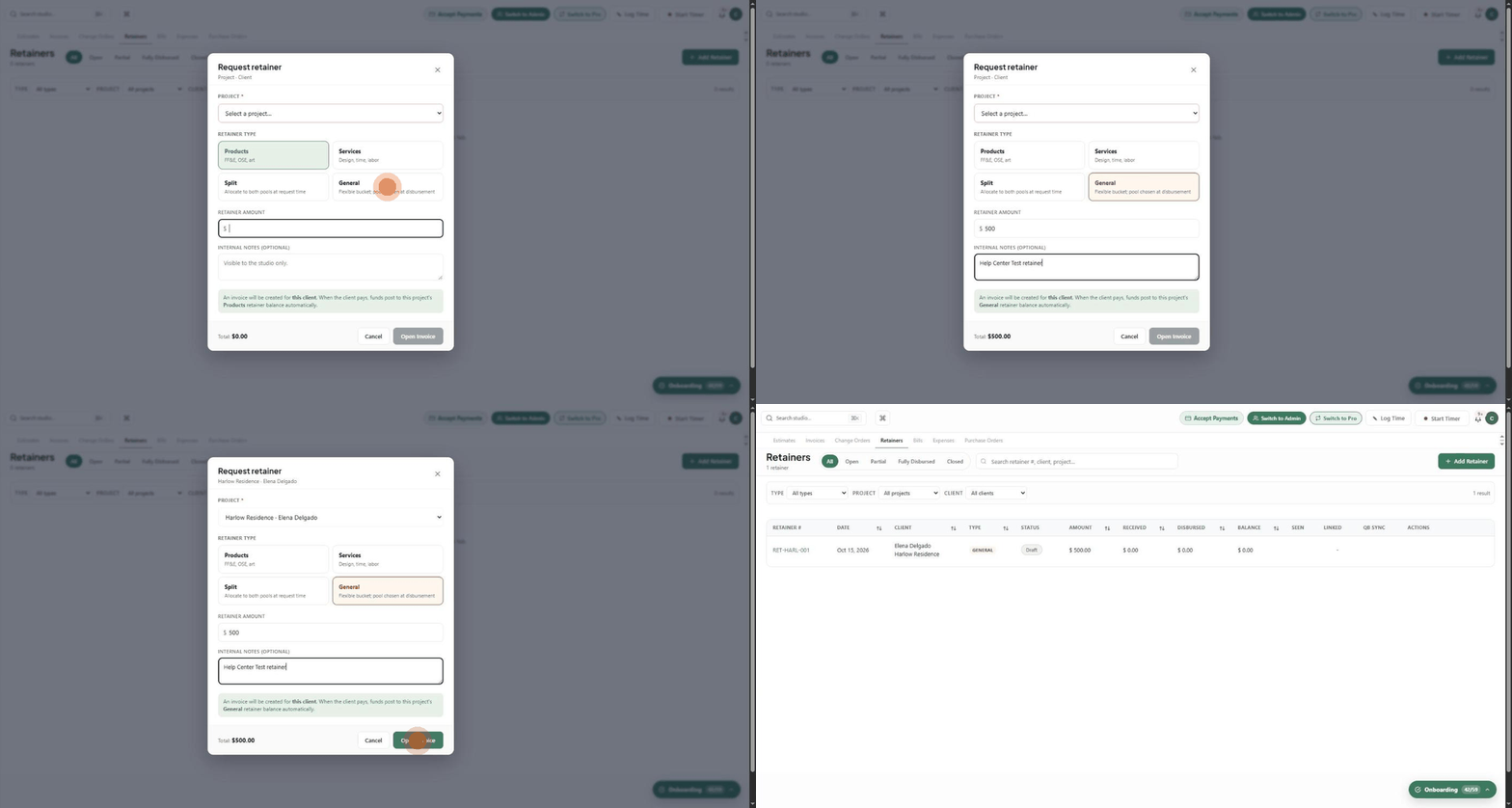
Open the project → Finances → Retainers and click Request Retainer. (Or go to Finances → Retainers and click Add Retainer; you'll pick the project there.)
Choose the Project if asked.
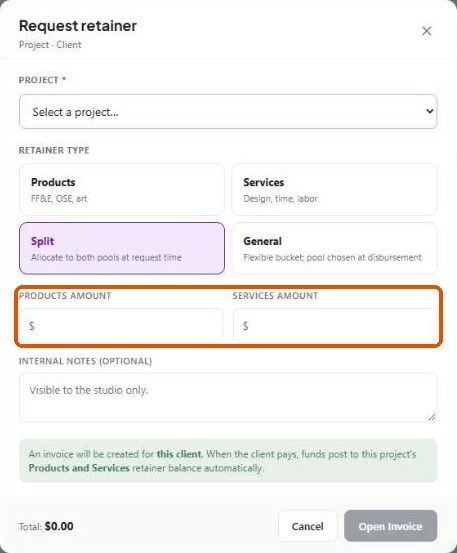
Choose the Retainer type: Products (FF&E, OSE, art), Services (design, time, labour), Split (both pools, set now) or General (flexible; pool chosen when you spend it).
Enter the Retainer amount — for Split, a Products amount and a Services amount.
Add optional Internal notes (studio only).
Check the Total and click Open Invoice.
What happens next?
The retainer appears in the list as Draft with Received, Disbursed and Balance at $0.
Send it to the client or record the payment to fund it.

Related articles
Retainers
Applying a payment (funding the retainer)
Was this helpful?
Still need help? Ask the team