Document numbering
Written By Timothy Murenzi
Overview
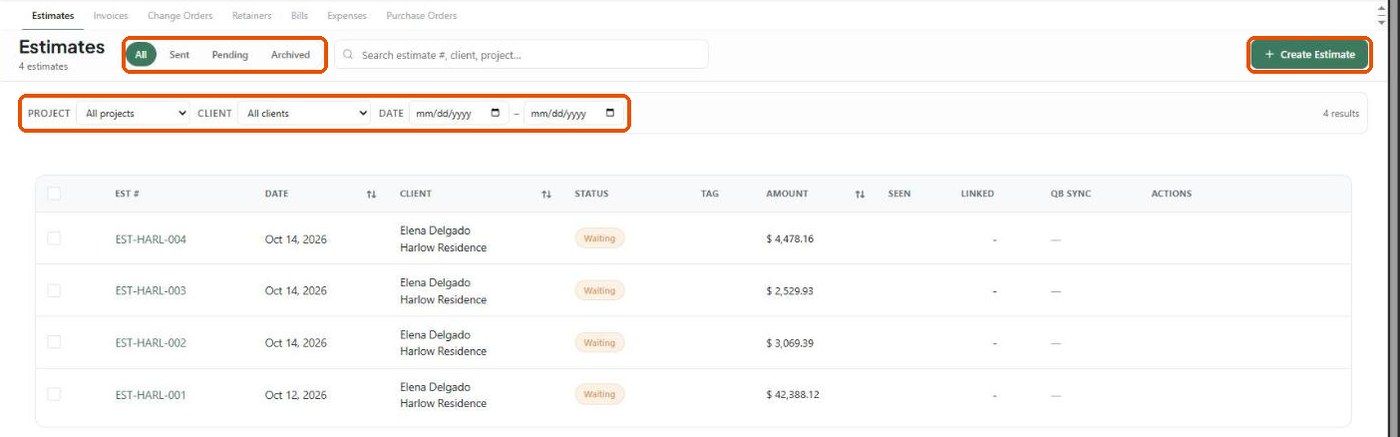
Every estimate, invoice, retainer and purchase order gets a number automatically. Documents that belong to a project use the project's code in the number (for example EST-HARL-001, INV-HARL-001, RET-HARL-001). Documents created without a project use the studio-wide sequence.
Before you start
Give the project a code. Every project has one — it's required when the project is created (see Project Codes).
You need access to Settings → Studio → Money to change prefixes or digits.
How numbers are built
The counter after the code is per project, so EST-HARL-001 and EST-STUDIO-001 can both exist.
Change the studio numbering format
Go to Settings → Studio → Money and open the Numbering and wording tab.
Choose the Document type: Estimates, Invoices or Purchase orders.
Set the Prefix and the number of Digits. The Looks like hint previews the result.
Click Save changes.
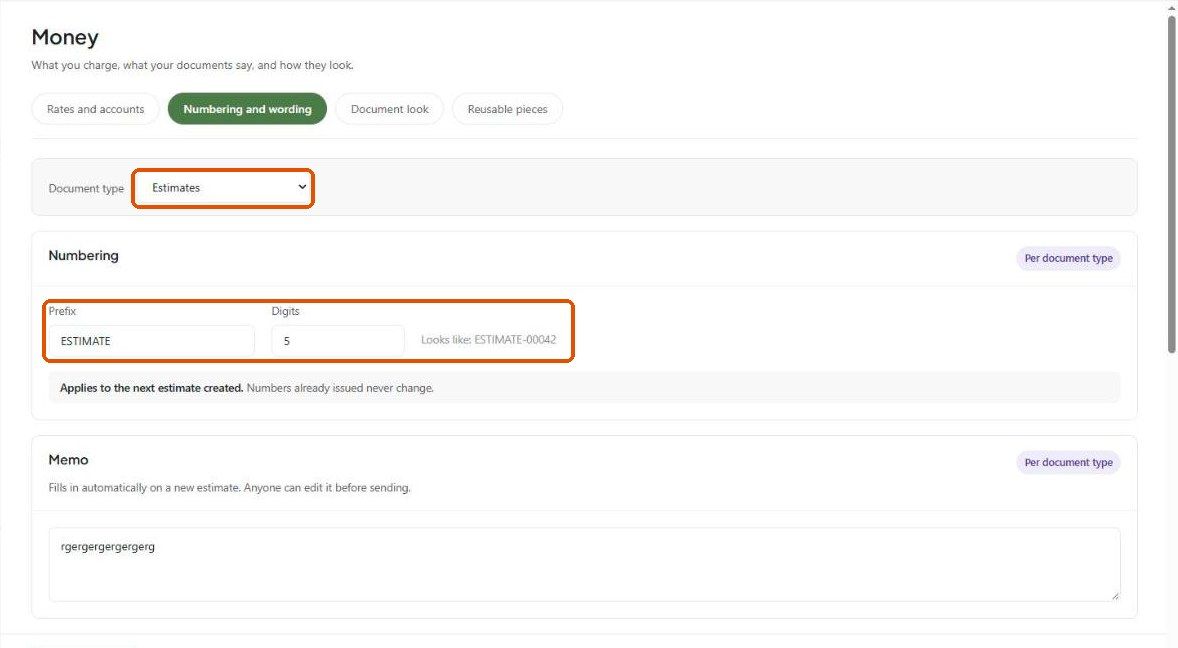
The change applies to the next document created. Numbers already issued never change.
Edit a single number
The number is editable at the top-left of the estimate or invoice editor (Estimate # / Invoice #).
Important limitations
Changing a project's code doesn't renumber existing documents.
Documents created without a project currently follow the studio sequence (for example EST0075, INV1094). Check the number before you send it if you rely on a custom prefix.
What happens next?
When a document is pushed to QuickBooks, its number is sent with it so both systems show the same reference.
Related articles
Project Codes
Estimates: An Overview
Overview of Invoices
Was this helpful?
Still need help? Ask the team