Building with Walter (AI)
Written By Timothy Murenzi
Don't want to build by hand? Describe the automation in plain English and Walter, Workroom's AI assistant, drafts it for you.
Build with Walter
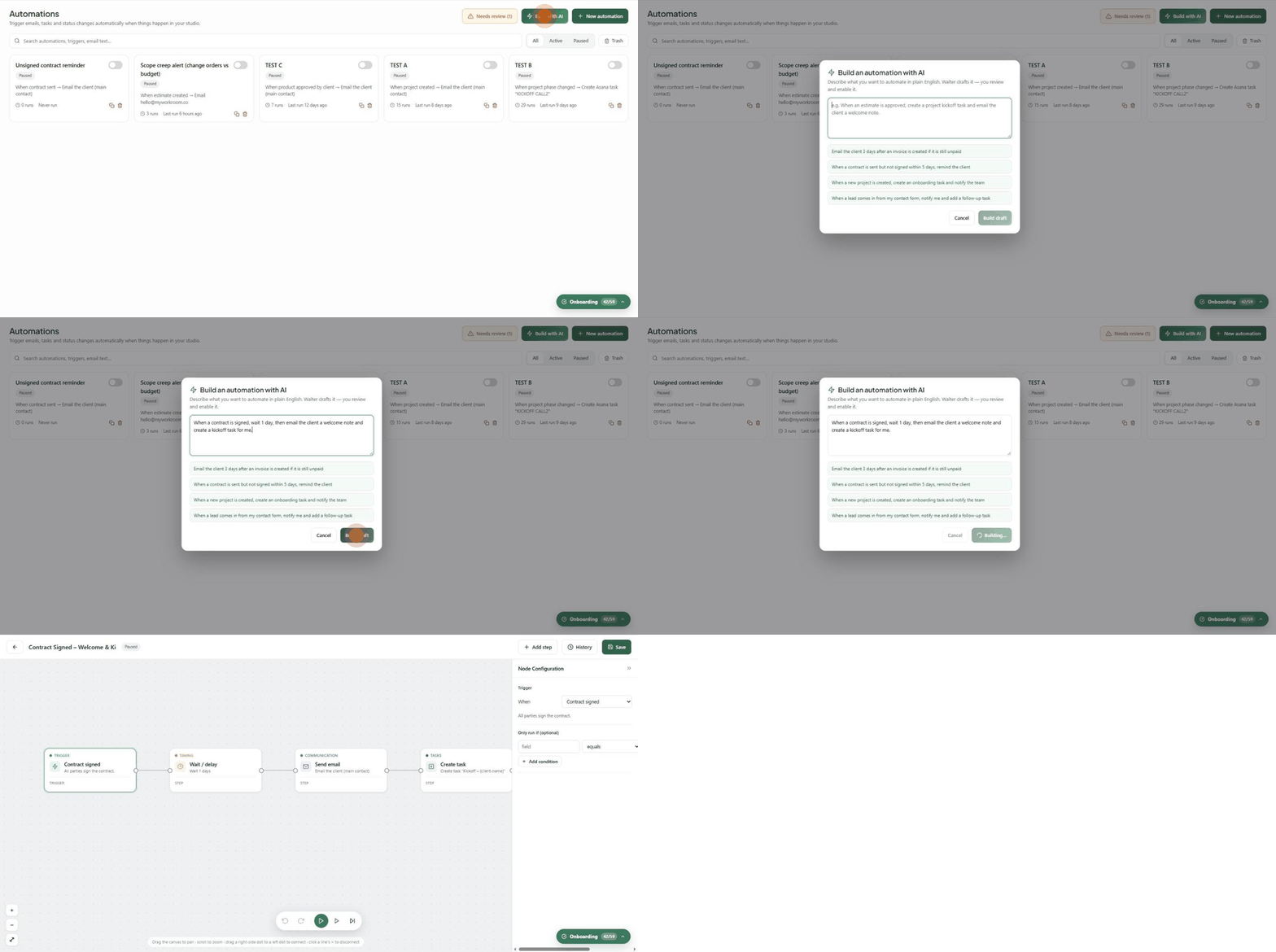
On the Automations page, click Build with AI.
Describe what you want, e.g. "When a contract is signed, wait 1 day, then email the client a welcome note and create a kickoff task for me." Or click one of the example prompts under the box.
Click Build draft. The button shows Building… for a few seconds.
The builder opens with Walter's draft — trigger, timing, email and tasks in place, plus a suggested name.
Click each card to check the settings, open the email editor to put the message in your own voice, and click Save.
Test it, then switch it on from the Automations list.
Walter's drafts always start Paused, and nothing is saved until you click Save. If you leave the builder without saving, the draft is discarded.
Prompts that work well
"Email the client 3 days after an invoice is created if it is still unpaid."
"When a contract is sent but not signed within 5 days, remind the client."
"When a new project is created, create an onboarding task and notify the team."
"When a lead comes in from my contact form, notify me and add a follow-up task."
"When a product sits in the same status for 5 days, remind the assigned designer."
Walter is a starting point. It gets you most of the way in seconds. Always read the draft, personalise the message, and test before switching it on.
Walter can also write the email inside any Send email step — see The email editor in Actions & steps reference.
Was this helpful?
Still need help? Ask the team