Managing your automations
Written By Timothy Murenzi
Switch an automation on or off
Each card on the Automations page has a switch at the top right. On = Active; off = Paused (saved but won't run). Pausing is the safest way to stop something without losing your work. Use the All / Active / Paused filters and the search box to find automations quickly.
Test an automation
Open the automation and click Save (you can't test unsaved changes — Workroom will remind you).
Click the green ▶ button at the bottom of the canvas.
You'll see Test event fired — check Run history.

Always test email and notification automations with yourself as the recipient first.
Run history
Click History in the builder to see each run: when it fired, whether it completed, and what each step did — including steps that were skipped and why (for example, create_asana_task: skipped: project not linked to Asana). This is your first stop whenever an automation didn't behave as expected.
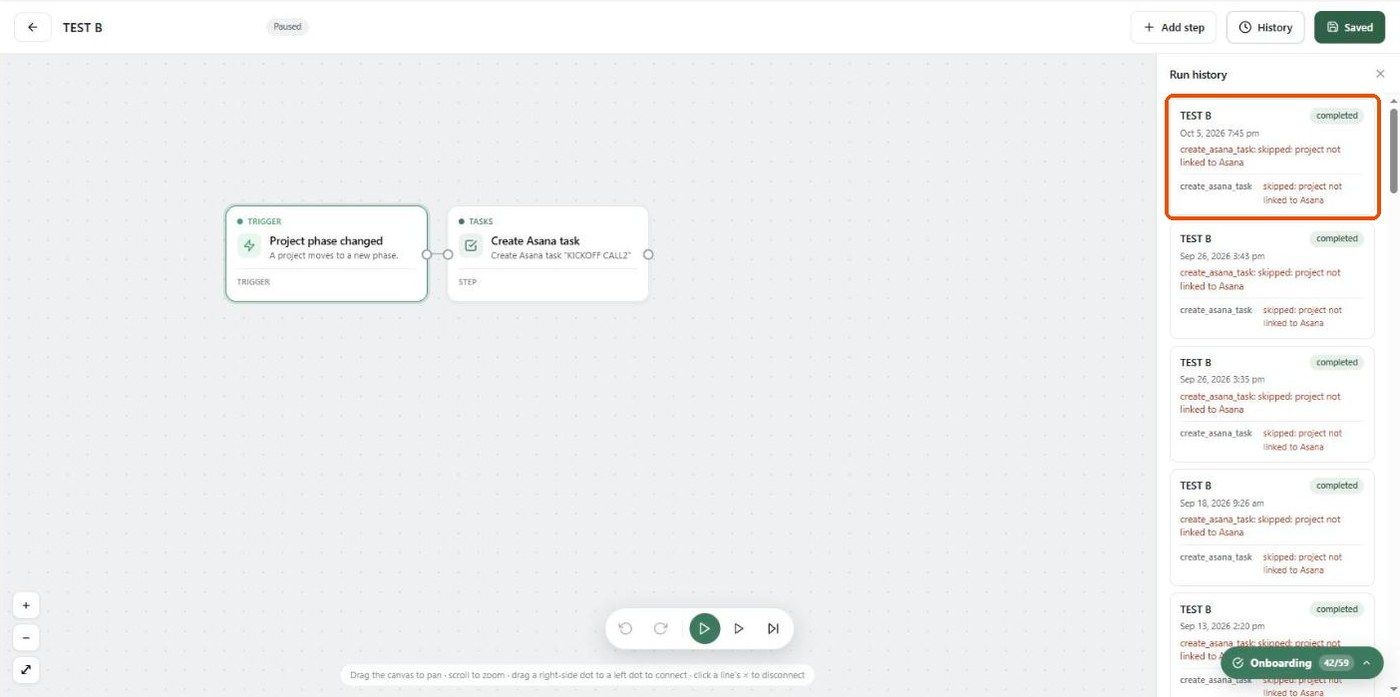
A paused automation with no runs shows "No runs yet. This runs when its trigger fires (and it's enabled)."
Duplicate
Click the copy icon on a card to make a copy (named "… (Copy)") — handy for "same idea, different recipient."
Trash and restore
Click the red bin icon on a card.
Type Delete to confirm and click Delete. The automation moves to the trash — you can restore it later.
Click Trash at the top right to see trashed automations. Click the restore arrow to bring one back, or the bin icon to delete it permanently. Click Back to automations to return.

Needs review
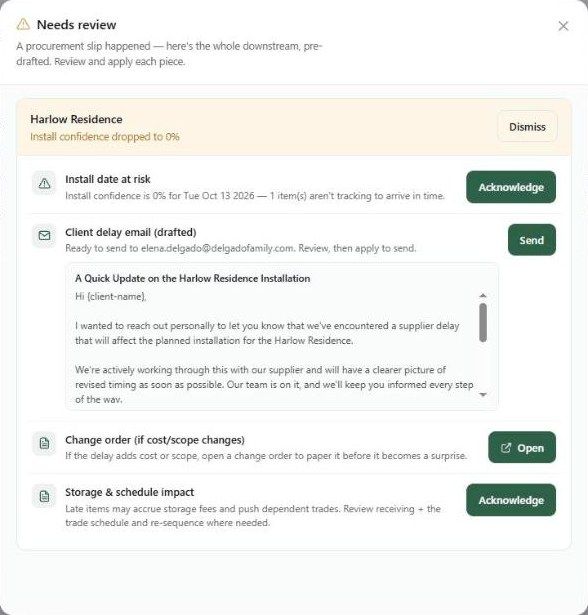
When something goes wrong in procurement — for example, a project's install confidence drops — Workroom prepares the whole knock-on response for you and the Needs review button shows a count. Click it to see, per project:
What happened (e.g. Install date at risk) — click Acknowledge.
A pre-drafted client email — read it, then click Send.
A suggested change order if cost or scope changes — click Open.
Storage and schedule impact — click Acknowledge.
Click Dismiss to clear the whole item. Nothing is sent until you press Send.
Pause before you delete. If you're not sure you're done with an automation, switch it off. Paused automations cost nothing and are easy to bring back.
Was this helpful?
Still need help? Ask the team