Working with Product Statuses
Use product statuses to track sourcing, approval, procurement, payment, and delivery progress.
Written By Julia M.
Overview
A product's status shows where it is from sourcing to installation.
The statuses
Draft, Allowance, Sourcing, Proposed, Approved, Backordered, In-PO, Ordered, Shipped, Out For Delivery, Delivered, Received, Installed, Return, Returned.
The status lists themselves are managed in Settings → Studio → Library and statuses → Statuses.
Change a status
One product: click the status in the Library row, or open the product and use Status under Overview.
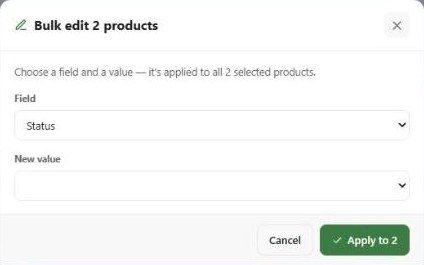
Many products: tick them, click Bulk edit, choose Status and a value, then Apply.
Statuses in reports
Filter a report by status (Status, vendor and tag filters) or group a schedule by Status. The schedule's summary page counts products by status and lists items waiting for your approval.
Important limitations
In Bulk edit, the Status values offered were Active, Discontinued, Backordered, Sample only in our test account — different from the list above. Check the result after a bulk status change.
Related articles
Bulk Editing Products
Managing Procurement Tracking
Was this helpful?
Still need help? Ask the team