Searching and Filtering Products
Find, narrow, and organize products quickly using search, filters, sorting, and grouping tools.
Written By Julia M.
Overview
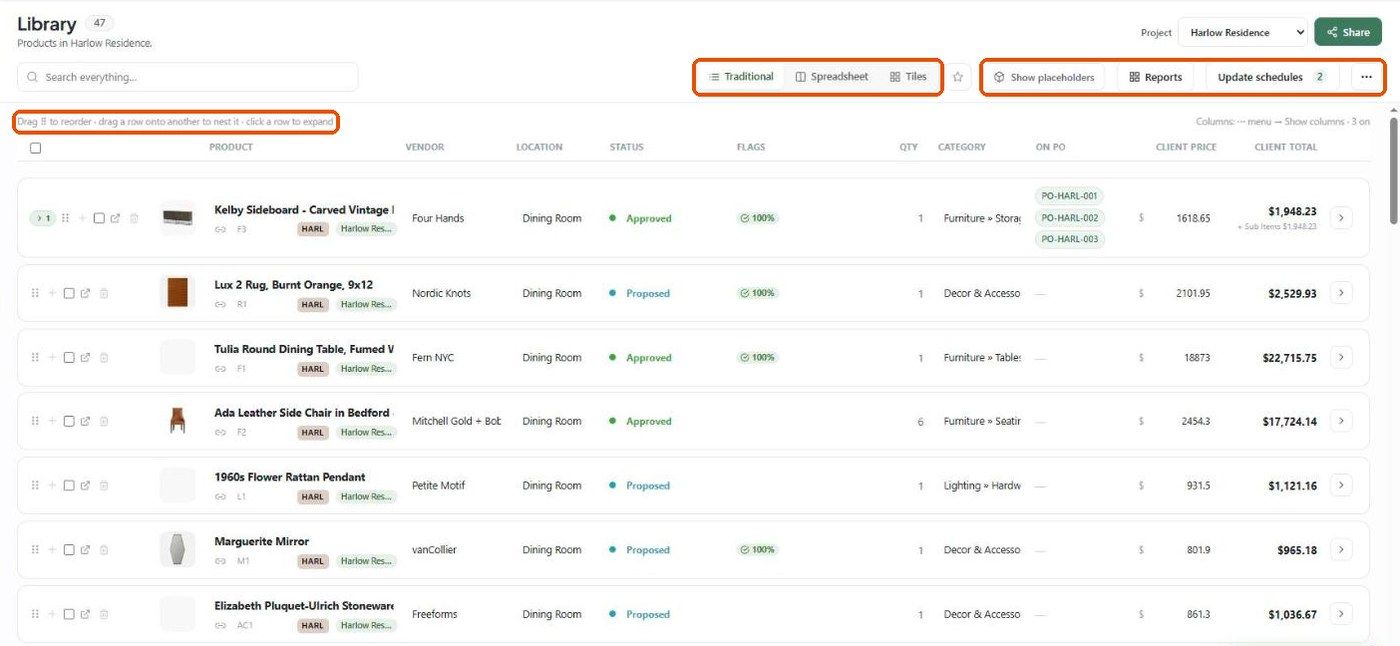
Find products fast in large libraries with search, the project switcher, grouping and views.
Choose the scope
Use the Project dropdown at the top right: All products, the studio Library, or a single project.
Search
Type in Search everything… — product name, vendor, location, category and other fields.
Group and arrange
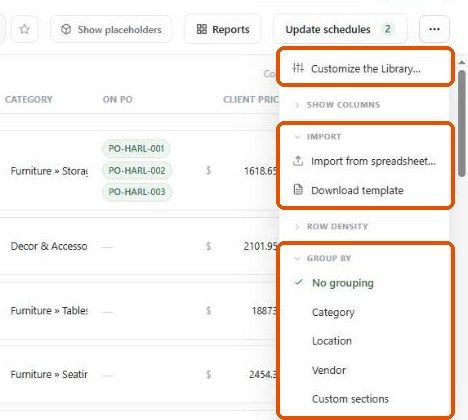
⋯ → Group by: No grouping, Category, Location, Vendor or Custom sections.
⋯ → Show columns: add SKU, Unit Cost, List Price, Margin, On invoice, On estimate, Lead Time, procurement dates and more.
⋯ → Row density and Customize the Library….
Drag ⠿ to reorder rows.
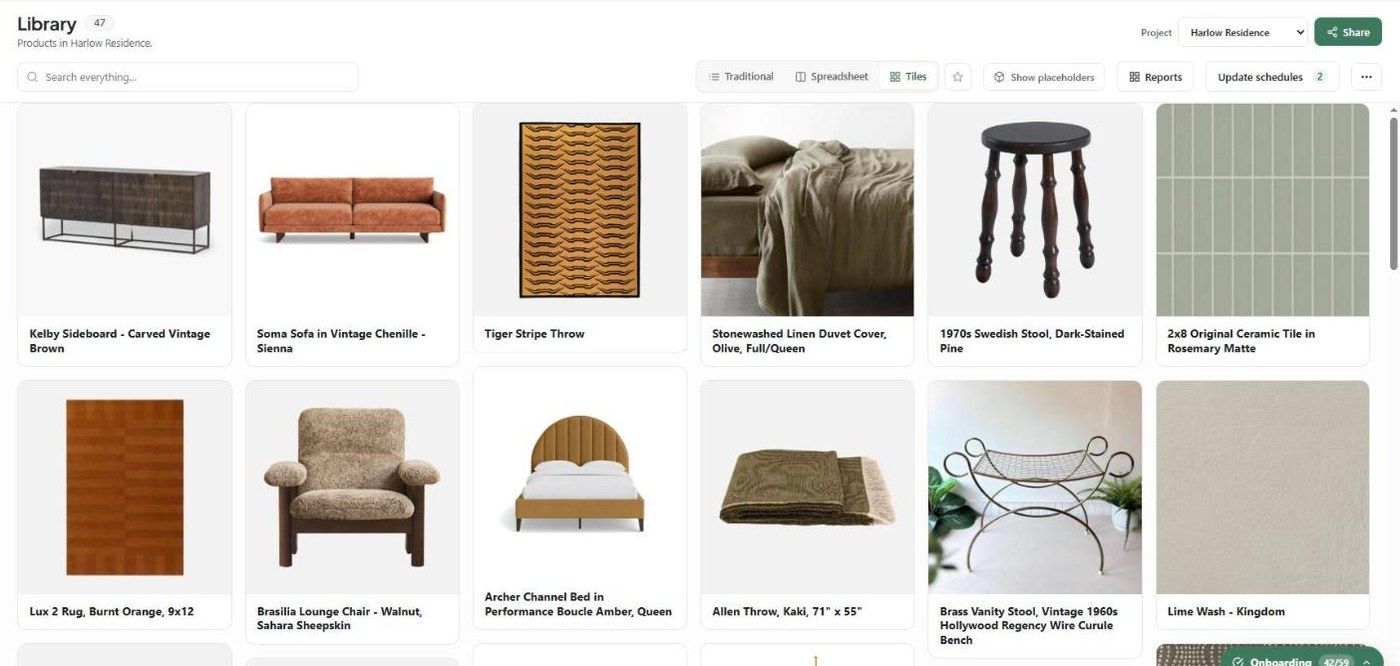
Views
Traditional — rows you can expand to edit.
Spreadsheet — every field as a column, edited in place.
Tiles — images first.
Click the ☆ to save the current view.
Filter for a report
Reports have their own filters: project, categories, rooms, and Status, vendor and tag filters.
Related articles
Using Product Manager
Using Product Tags
Was this helpful?
Still need help? Ask the team