Reading responses
Written By Timothy Murenzi
Open a form's responses
Go to Forms. Forms with unread responses show a red NEW badge.
Click Responses on the form's row.
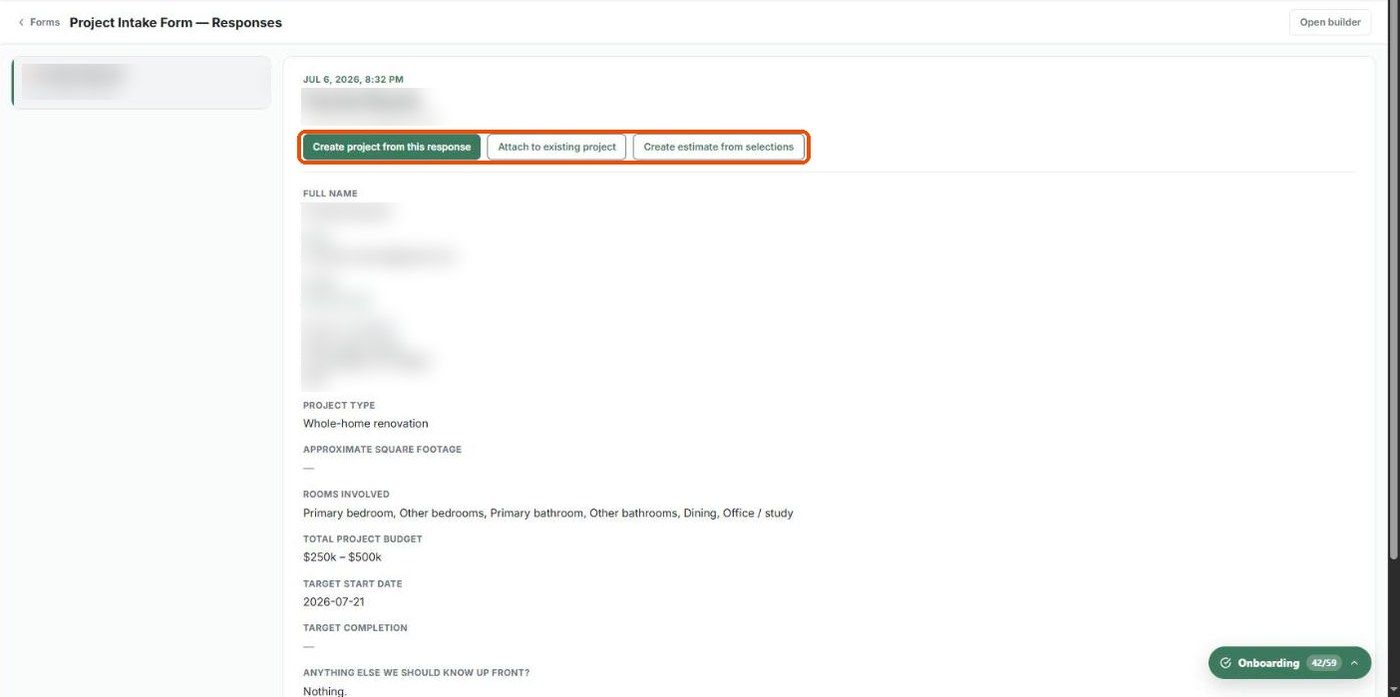
The responses page lists submissions on the left — newest first, with the submitter's name and date and a red dot on unread ones. Click one to see every answer on the right.
What you can do with a response
Create project from this response — start a new project pre-filled with the client's details.
Attach to existing project — link it to a project you already have.
Create estimate from selections — turn product selections (for example from a Swipe field) into an estimate.
See Attaching a response to a project for details. Click Open builder (top right) to jump to the form itself.
Responses are also emailed to you if you turned on Email me on each submission or added addresses under Send submissions to in Form settings.
Was this helpful?
Still need help? Ask the team