Managing Product Attachments and Spec Sheets
Upload and organize supporting product documents, specifications, and installation files.
Written By Julia M.
Overview
Keep spec sheets, tear sheets, install guides, warranties, shop drawings and approvals on the product itself, so anyone ordering, receiving or installing can find them.
Add an attachment
Open the product (Library → expand the row → Open full details).
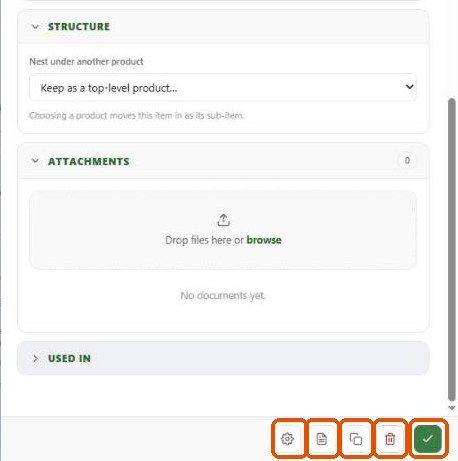
On the Details tab, expand Attachments. The count shows how many files are attached.
Drop files onto the box, or click browse.
Attachments in reports
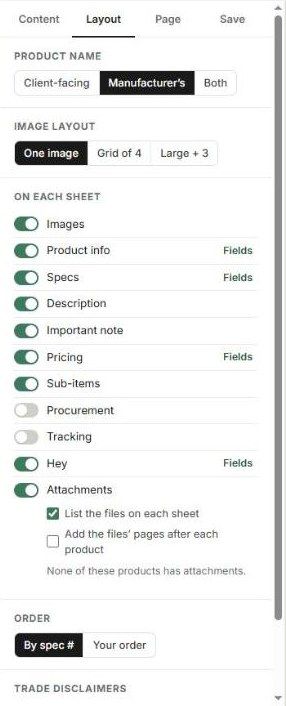
In a Spec sheets report (Library → Reports), the Layout tab has an Attachments option: List the files on each sheet, and/or Add the files' pages after each product to bind the PDFs into the package.
Best practices
Upload the vendor's current spec sheet and remove outdated versions.
Name files consistently (vendor, model, document type).
Attach approvals and shop drawings when they're signed off.
Related articles
Individual Spec Sheets
Spec Packages
Was this helpful?
Still need help? Ask the team