Document Naming
Written By Timothy Murenzi
Choose how estimates, invoices and purchase orders are numbered, so numbers match the way your studio files things.
Where to find it
Settings → Studio → Money → Numbering and wording.
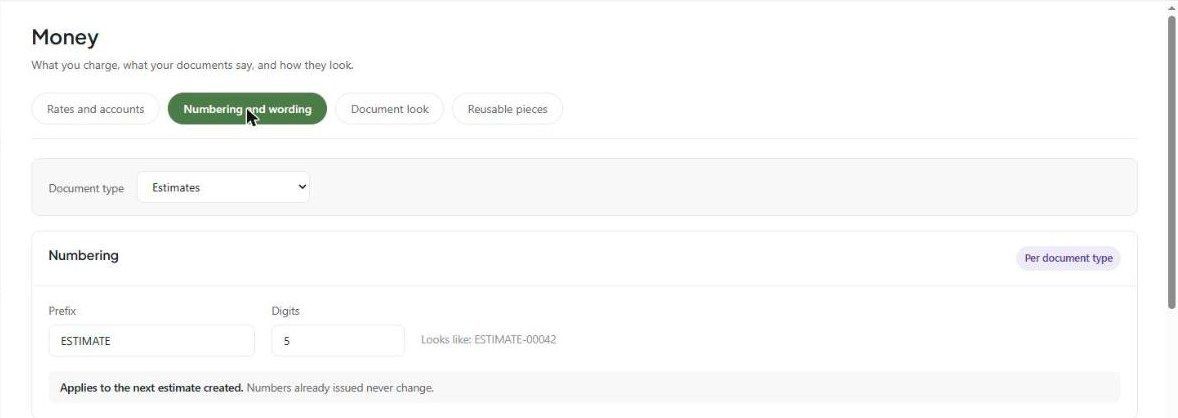
Pick the Document type: Estimates, Invoices or Purchase orders.
Under Numbering, set the Prefix (e.g. ESTIMATE, INV, PO) and the number of Digits (zero-padding).
Check the live example beside it — e.g. Looks like: ESTIMATE-00042.
Click Save changes.
Good to know
Applies to the next document created. Numbers already issued never change.
Each type is separate. Changing invoice numbering doesn't touch estimates or POs.
Digits only pad. 5 digits turns 42 into 00042. A longer number is never cut short.
Want the year in the number? Put it in the prefix (e.g. INV-2027) and update it each January.
Examples
Naming attached files
On the same tab, Attachment file names renames files automatically when they're attached to that document type. Use tokens like {date}, {client_name}, {estimate_number}, {project_name}, {vendor_name}, {user} and {original}. Leave it empty to keep the uploaded name. Files already attached keep their names.
Was this helpful?
Still need help? Ask the team