Forms

Building from a template

Written By Timothy Murenzi

Templates are ready-made forms designed for interior design studios. Using one creates your own copy that you can change freely.
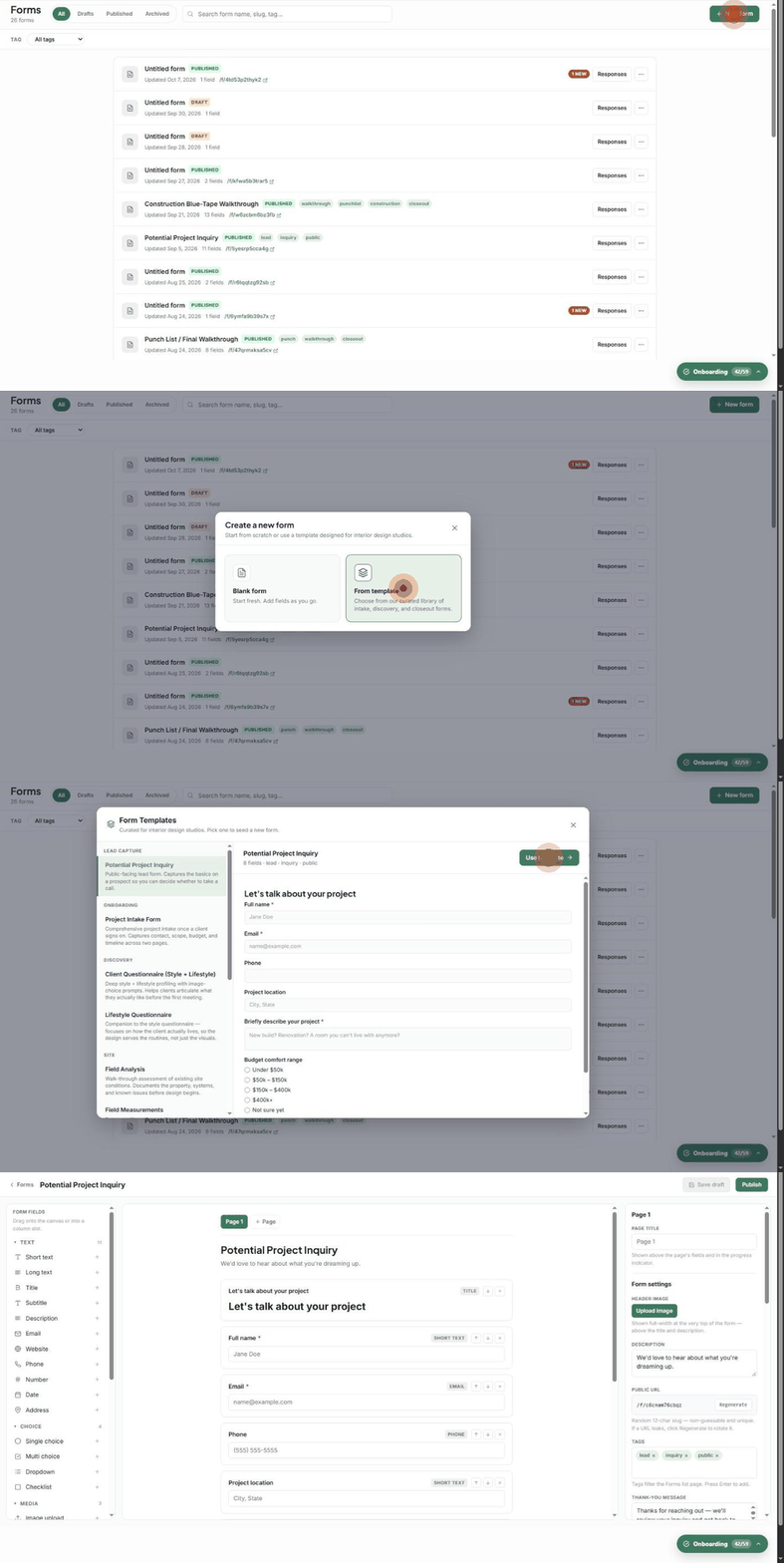
Clicking New form, choosing From template, previewing Potential Project Inquiry and opening it in the builder

Use a template

  1. Go to Forms and click + New form.

  2. Choose From template.

  3. Click any template on the left to preview the full form on the right, with its field count and tags.

  4. Click Use template. A copy opens in the builder as a new draft, ready to edit and publish.
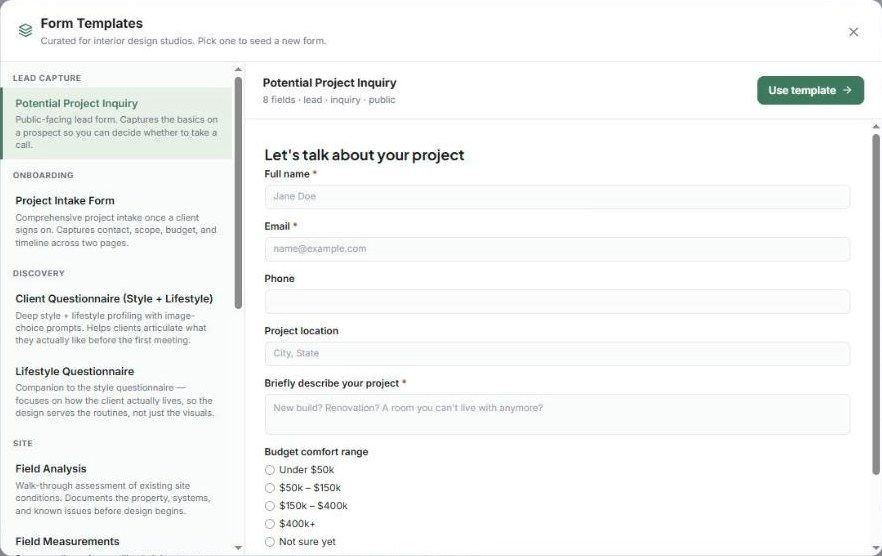
The Form Templates library with the Potential Project Inquiry preview

The template library

Category

Template

What it's for

Lead capture

Potential Project Inquiry

Public website lead form — the basics on a prospect so you can decide whether to take a call.

Onboarding

Project Intake Form

Contact, scope, budget and timeline across two pages once a client signs on.

Discovery

Client Questionnaire (Style + Lifestyle)

Style and lifestyle profiling with image-choice prompts.

Discovery

Lifestyle Questionnaire

How the client actually lives, so the design serves their routines.

Site

Field Analysis

Walk-through assessment of existing conditions, systems and known issues.

Site

Field Measurements

Per-room dimensions, ceiling heights, openings and details — completed by the designer on site.

Site

Project Photos

One upload area per room, for client photo dumps before design starts.

Closeout

Punch List / Final Walkthrough

Walk-through checklist plus signatures for project handoff.

Closeout

Post-Project Satisfaction Survey

Short feedback survey that surfaces testimonial quotes.

Closeout

Construction Blue-Tape Walkthrough

Pre-occupancy punchlist pre-seeded with hundreds of items across every room, with notes and sign-off.

Closeout

FF&E Final Delivery Walkthrough

FF&E install walkthrough covering prep, furniture, lighting, window treatments, rugs, art, decor and per-room checks.

Editing your copy never changes the template, and updates to Workroom's templates never change forms you've already created.