Using Product Manager
Organize, sort, filter, and manage products across projects using Product Manager.
Written By Julia M.
Overview
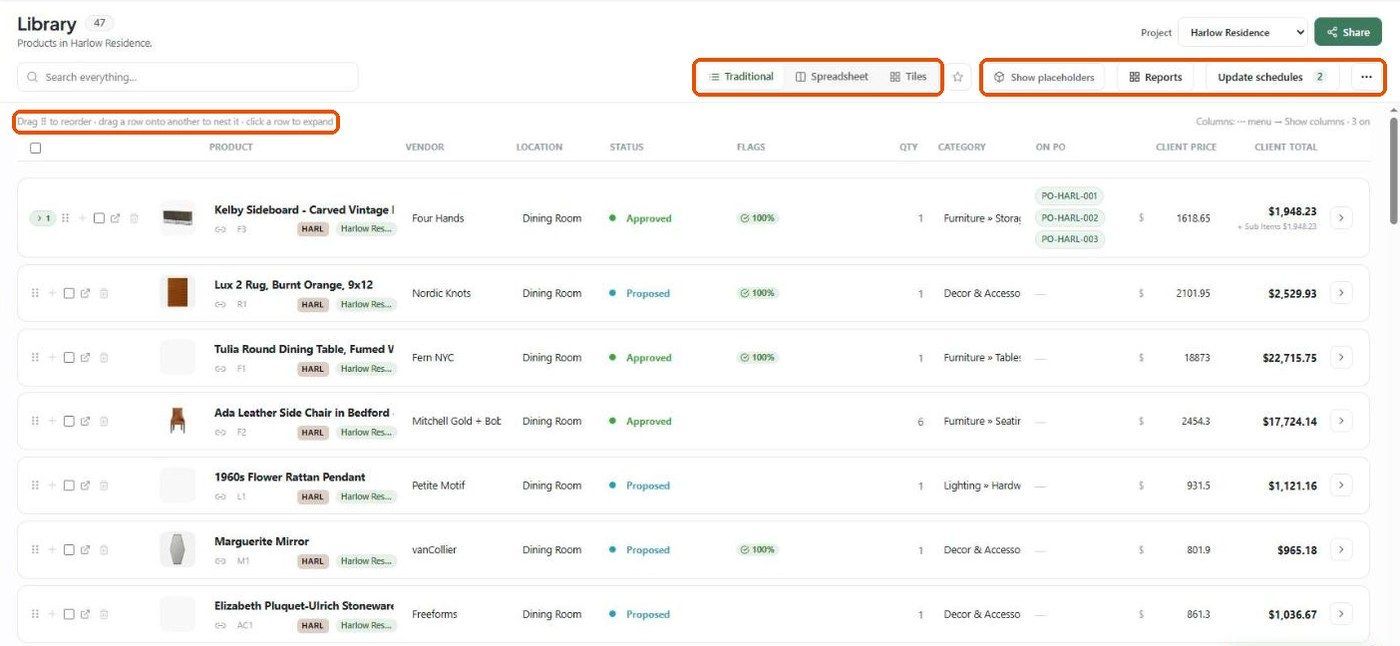
There's no separate "Product Manager" screen any more. Its jobs — sorting, filtering, grouping, multi-select and bulk editing — now live directly in the Library.
Where things are now

Related articles
Searching and Filtering Products
Bulk Editing Products
Was this helpful?
Still need help? Ask the team