Individual Spec Sheets
Written By Timothy Murenzi
Overview
Send one product as a single-page spec sheet.
Steps
In Library, open the product (expand the row → Open full details).
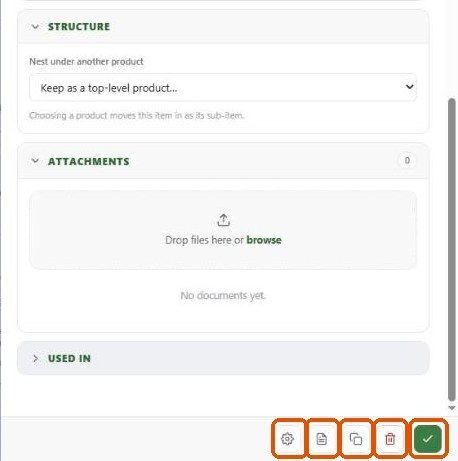
Click the document icon at the bottom of the drawer. A one-page Spec sheets report opens for that product.
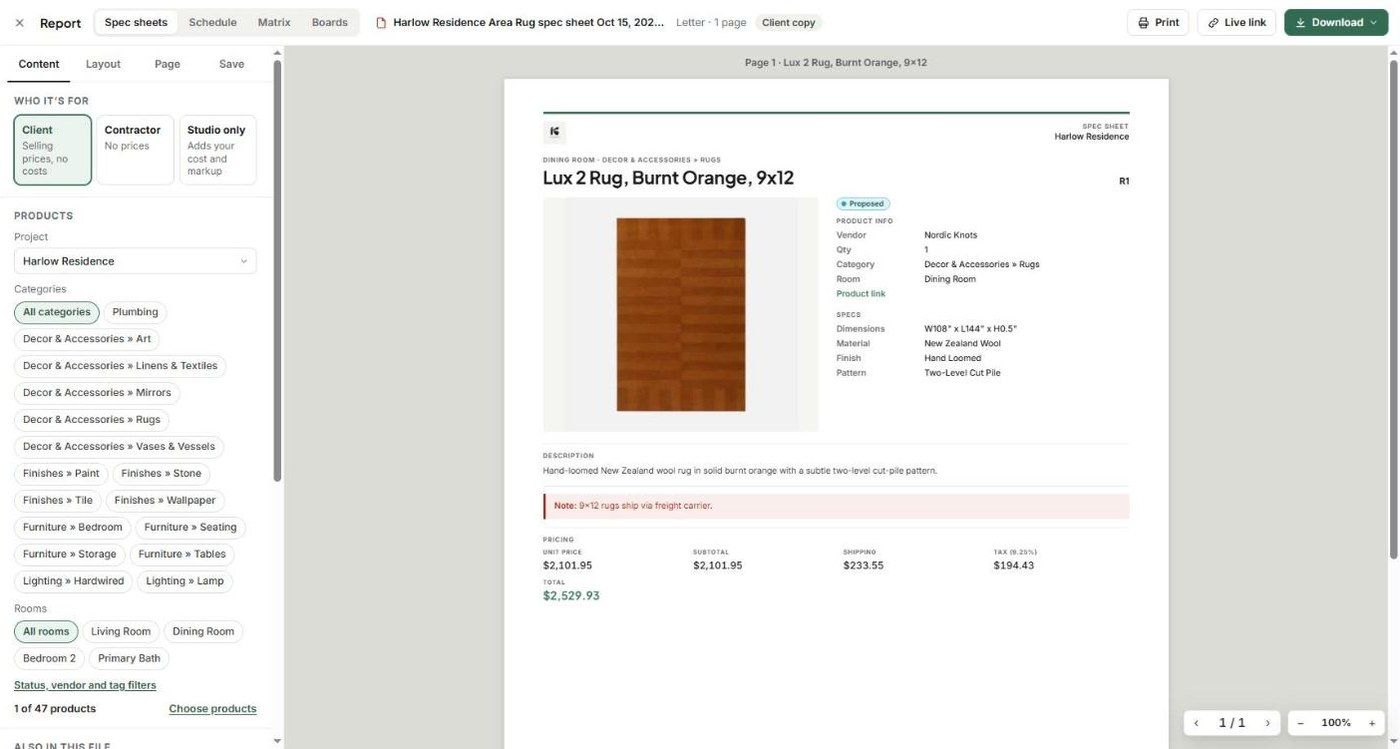
Choose Who it's for: Client, Contractor or Studio only.
Adjust what shows on the Layout tab, and turn off the cover on the Page tab if you want just the sheet.
Click Download.
What's on the sheet
Room and category, product name, spec #, status.
Main image (or a grid of images).
Product info: vendor, quantity, category, room, product link.
Specs: dimensions, material, finish, pattern and other spec fields.
Description and important note.
Pricing (unit price, subtotal, shipping, tax, total) for Client; cost and markup added for Studio only; none for Contractor.
Alternatively, tick the product in the Library and use Reports from the selection toolbar.
Related articles
Spec Packages
Tips & Best Practices
Was this helpful?
Still need help? Ask the team