Getting a retainer paid
Your client pays a retainer online, or you record a payment they made another way.
Written By Timothy Murenzi
Overview
A retainer is funded when your client pays it: online from their retainer page, or by a payment you record.
Watch it: the Finances lesson in Campus, step 4, “Invoice and get paid”, chapter 3, “Paid online” (starts at 0:40) and chapter 7, “Retainers” (starts at 2:36).
Your client pays online
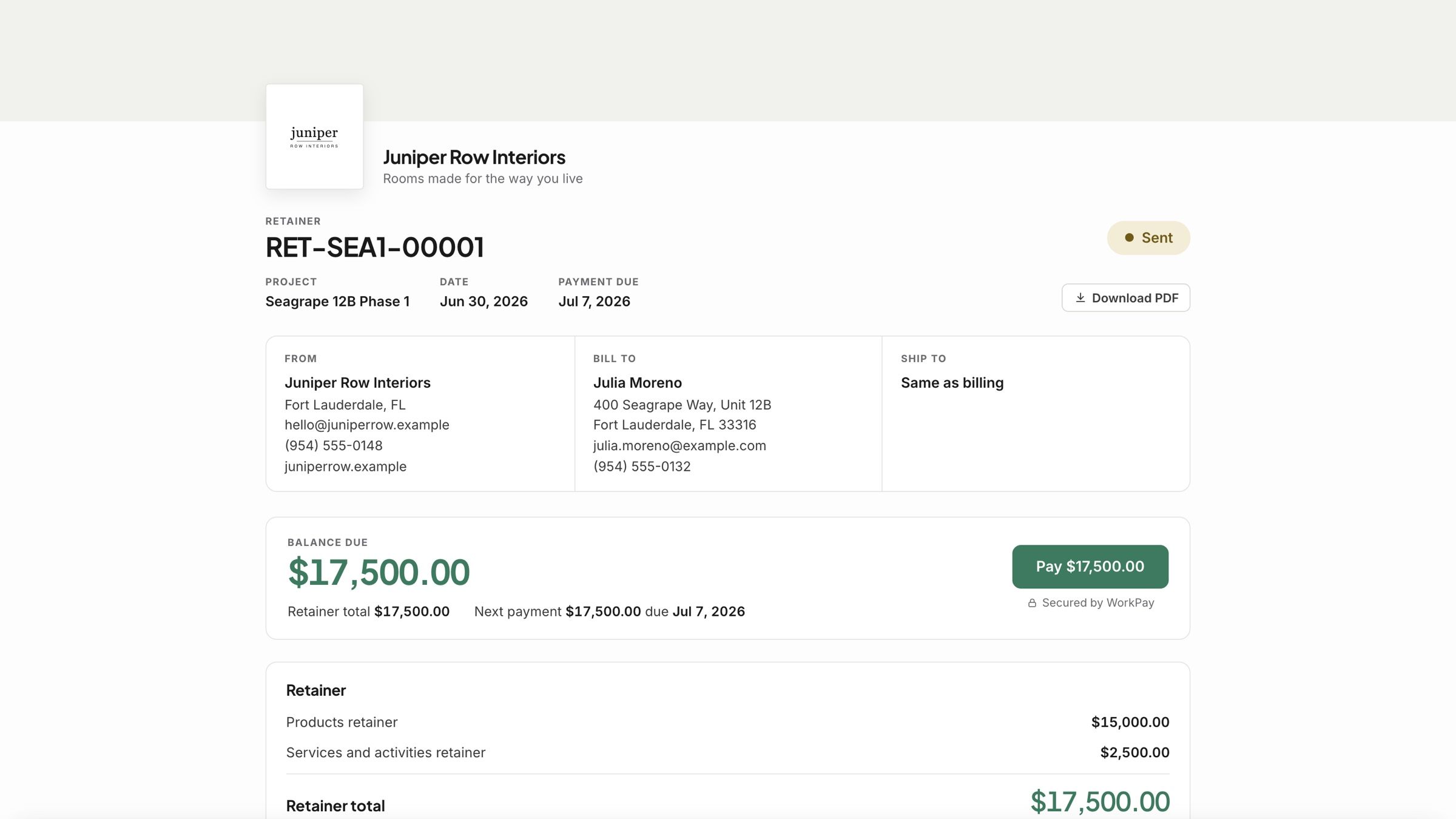
Send the retainer. Your client opens it and pays by card or bank with the Pay button. Whether they pay the card fee is your choice, and they see it before they pay.
Record a payment yourself
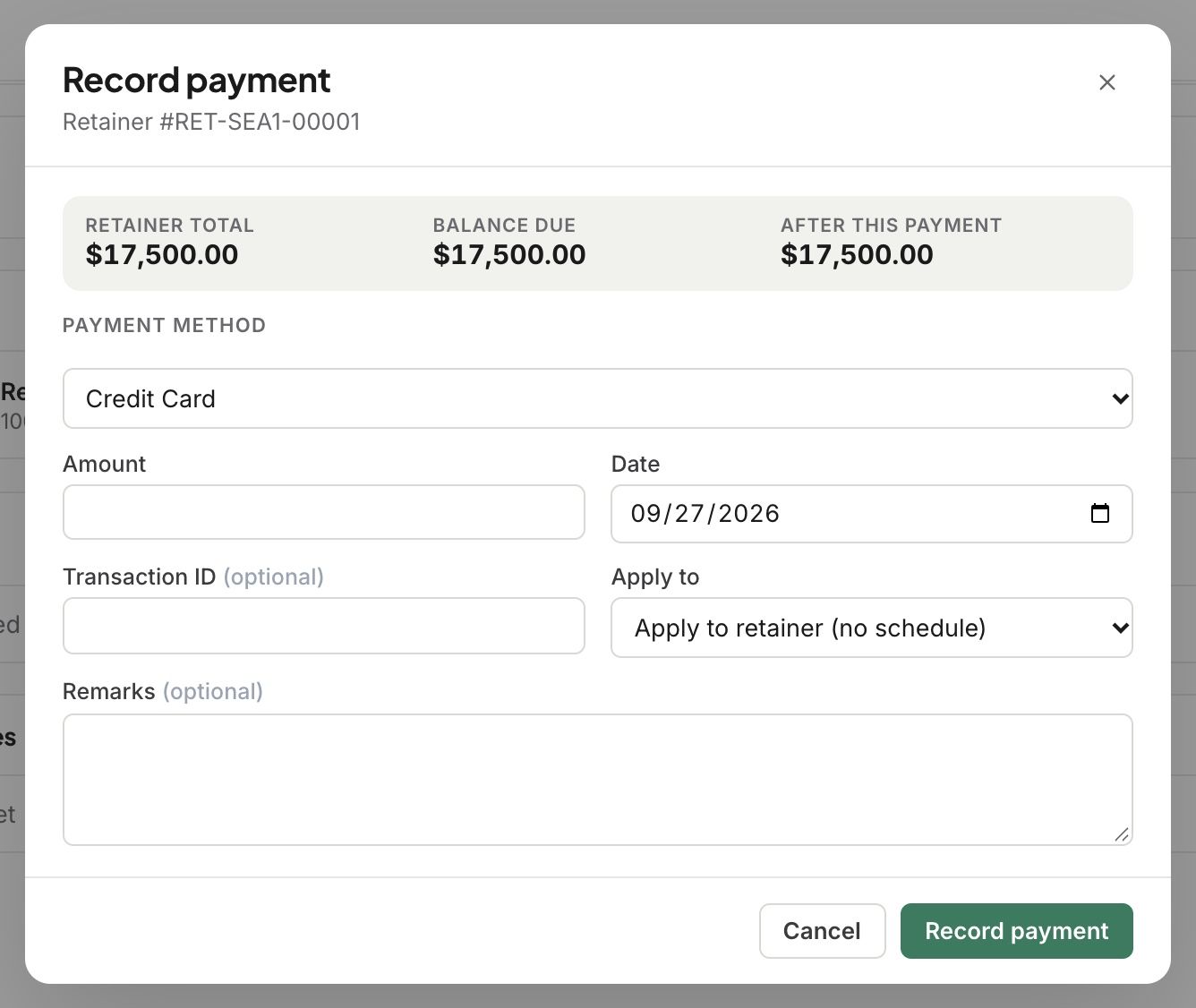
Open the retainer and go to its Payments tab.
Click Record payment received.
Pick the method, enter the amount and date, and click Record payment.
What happens next
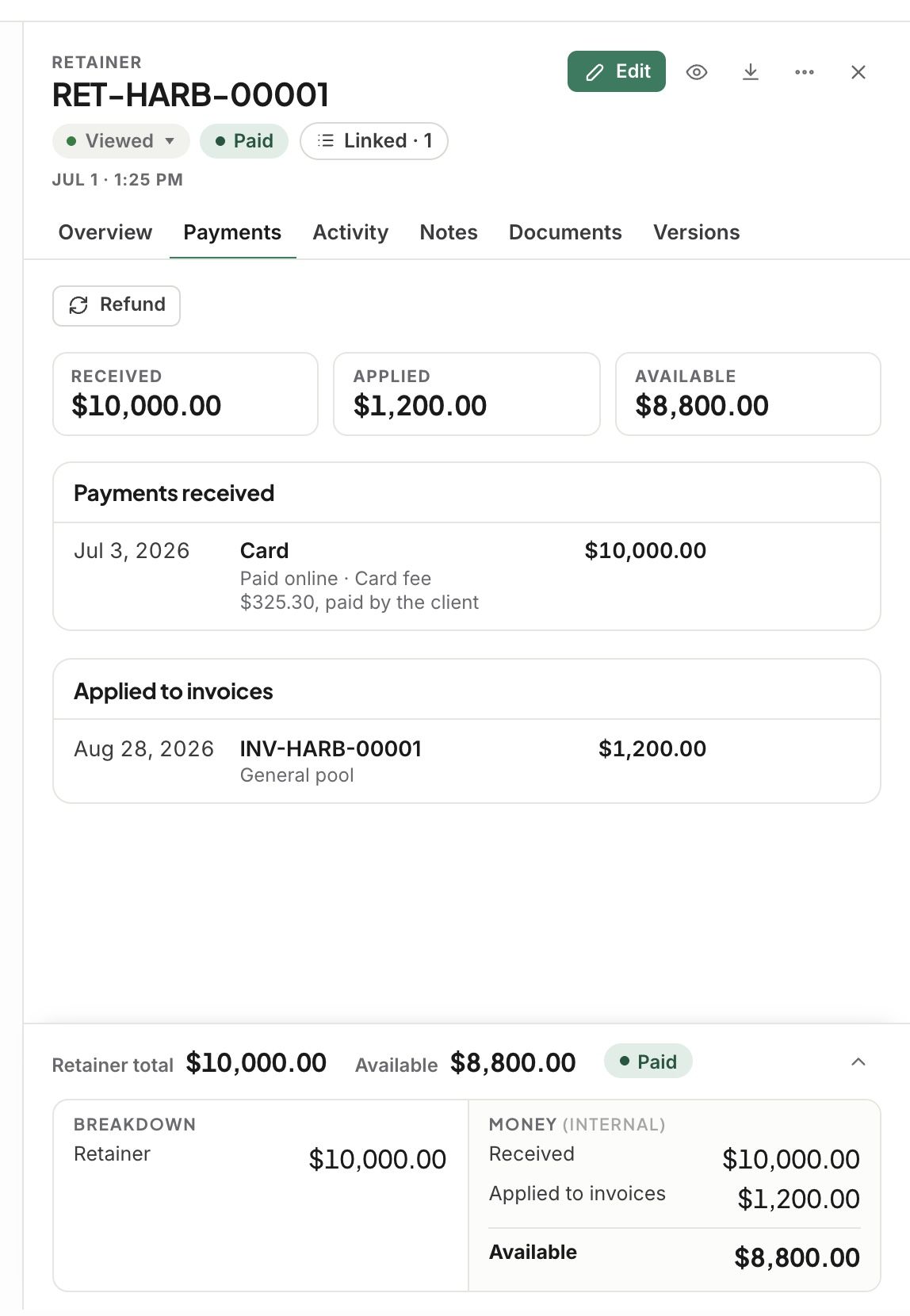
The side panel’s Payments tab shows Received, Applied and Available, and lists each payment under Payments received.
A card fee your client paid shows under the payment, on its own line. It is never part of the retainer.
Related articles
Was this helpful?
Still need help? Ask the team