How to Sign an Invoice as the Designer
Add your digital signature to an invoice before or after sending it to the client.
Written By Julia M.
Overview
Invoices and estimates carry signatures in two ways: the client signs online in the Authorize & Sign dialog, and signature lines can be printed on the PDF.
Add signature lines to the PDF
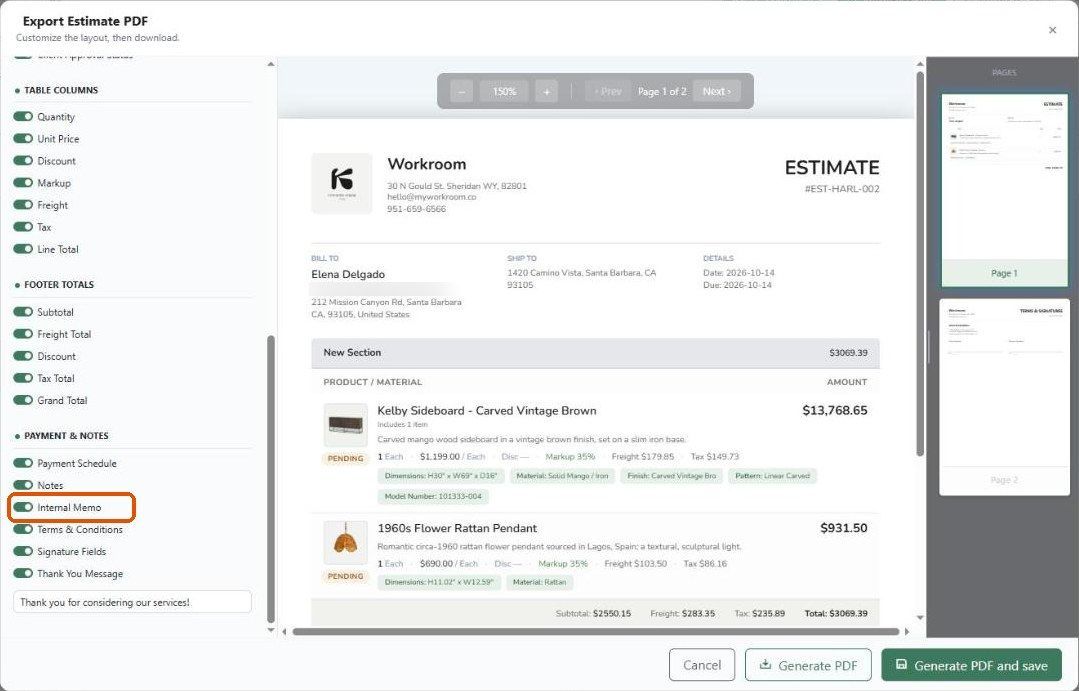
Hover the invoice row → share icon → Download PDF.
Under Payment & Notes, make sure Signature Fields is on.
Check the last page of the preview, then generate the PDF.
Client signatures
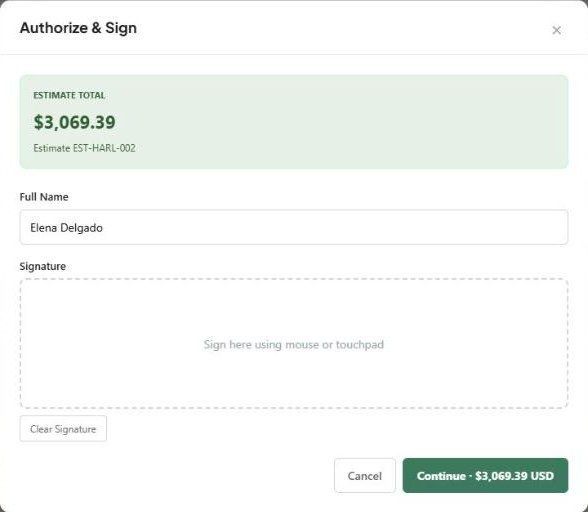
When a client submits from the client view, they enter their full name and draw a signature. The action is recorded in the document's Activity tab.
Important limitations
We couldn't find a Sign as Designer action in the current invoice menus (share, +, More). If you need a designer signature on the document, use the PDF signature lines or contact support.
If you change an invoice after it's signed, check whether it needs to be signed again.
Related articles
How to Send an Invoice to a Client
How to Configure the Invoice Client View and Display Settings
Was this helpful?
Still need help? Ask the team