Taking payments on an estimate (Workroom Estimate Payments)
Written By Timothy Murenzi
Overview
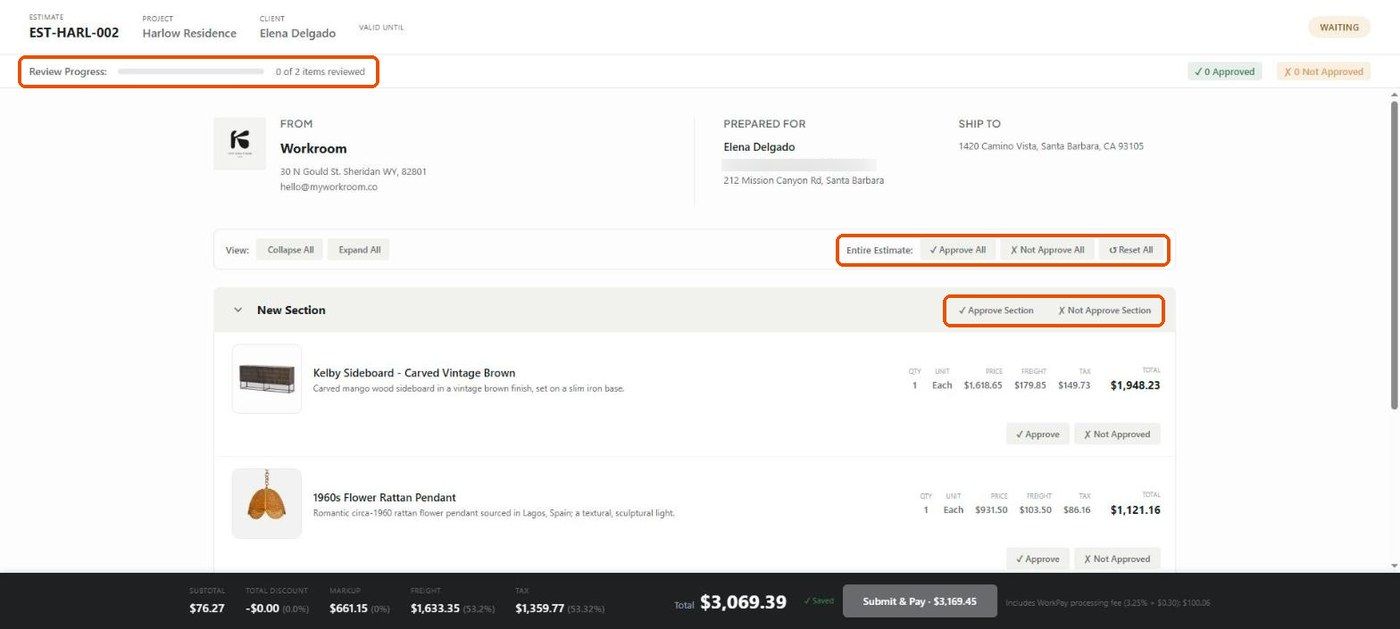
A client can pay while reviewing an estimate. The client view's bottom bar has a Submit & Pay button, and every estimate has a Payments tab where payments are listed and recorded.
Before you start
Connect a payment processor in Settings → Studio → Integrations (Stripe or WorkPay). The Stripe card notes that it takes payments "on estimates if you've enabled that".
Decide how processing fees are handled on the estimate (see below).
What the client sees
At the bottom of the client view, Submit & Pay shows the amount to pay. When fees are passed to the client, the bar adds a note such as Includes WorkPay processing fee (3.25% + $0.30).
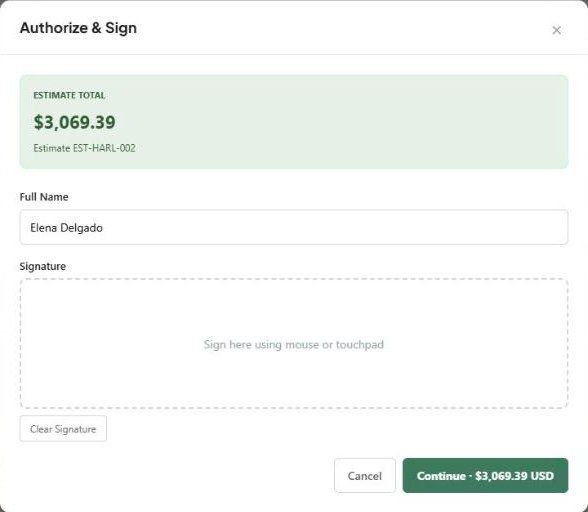
Clicking it opens Authorize & Sign: the estimate total, the client's Full Name, a Signature pad, Clear Signature, and Continue · $amount USD.
Processing fee settings
In the estimate editor, under Fees → Processing fee, choose Pass processing to client or Absorb processing fees. The hint reads Card 3.25% + $0.30 / ACH 0.80% (max $15), charged at checkout when passing.
See and record payments
Click the estimate number to open the quick view panel.
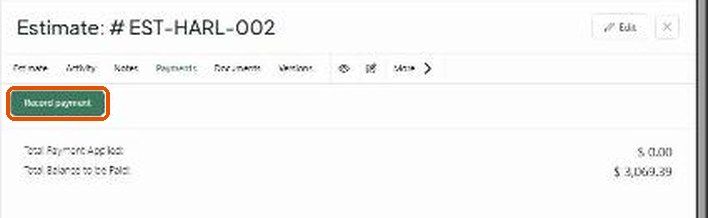
Open the Payments tab. It shows Total Payment Applied and Total Balance to be Paid.
Click Record payment to log a payment received outside Workroom.
Important limitations
We couldn't find a separate studio-wide "allow payments on estimates" switch in Settings at the time of writing. If Submit & Pay isn't working for your clients, contact support.
How a deposit paid on an estimate carries into the invoice after approval should be checked on your first live estimate before relying on it.
Related articles
How the client reviews and approves an estimate
Setting Up WorkPay
How to Record a Payment on an Invoice
Was this helpful?
Still need help? Ask the team